免費的Google 文件加上Google 部落格,就可以製作一個乾淨
俐落的報名網站。2010年12月13日 星期一

Lab 36 Speed Test
測試中原大學與中央大學對外頻寬速度。
Tool: Speedtest
google chrome→選項→變更代理伺服器→區域網路設定
cycu proxy: proxy.cycu.edu.tw:3128
ncu proxy: proxy.csie.ncu.edu.tw:3128
no proxy
Tool: Speedtest
google chrome→選項→變更代理伺服器→區域網路設定
cycu proxy: proxy.cycu.edu.tw:3128
ncu proxy: proxy.csie.ncu.edu.tw:3128
no proxy
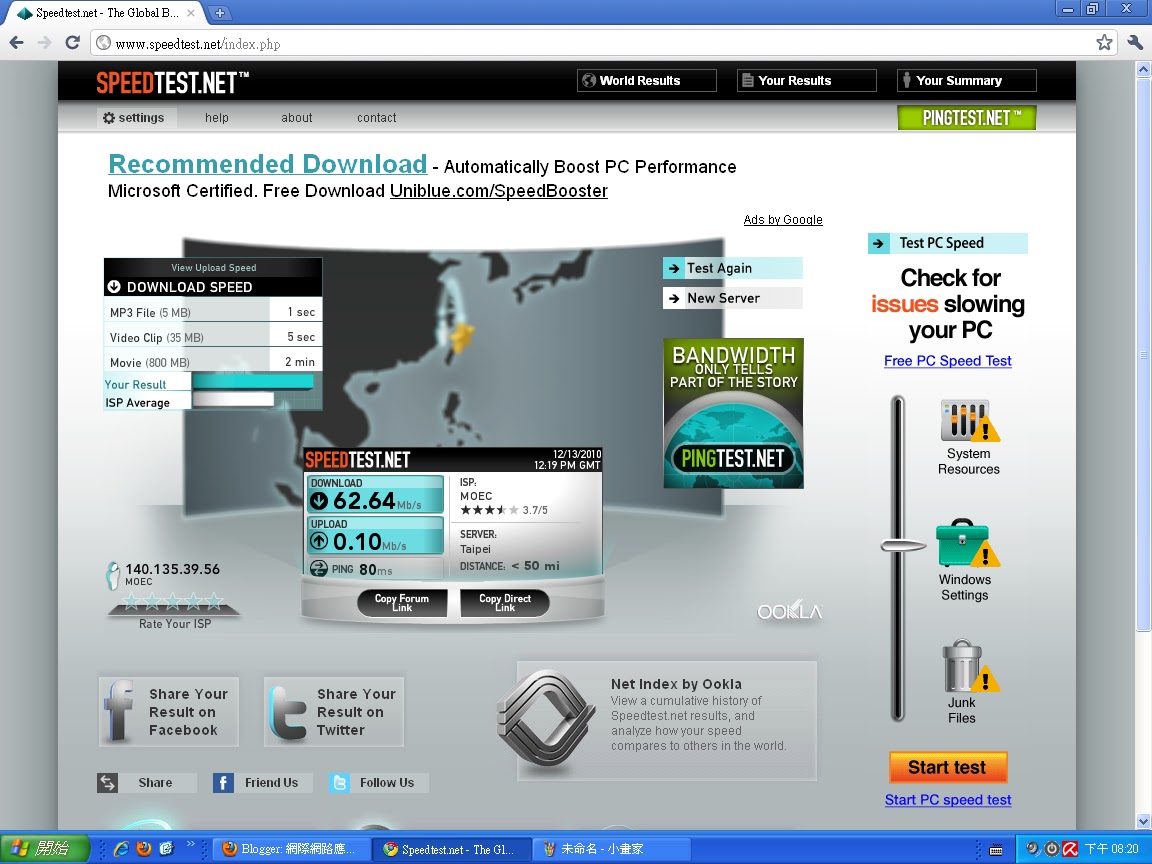 |
| 中原大學對外寬頻速度 |
 |
| 中央大學對外寬頻速度 |
 |
| no proxy |
2010年12月6日 星期一


Lab 33 匯出部落格
1. 將你的部落格匯出為 XML,請使用blogspot 已經提供的匯出工具
2. 在blogspot 新建一個空白部落格。
3. 將剛才匯出部落格匯入到新的部落格
4. 檢查匯出情況,是否有出現異常,資料遺失或被變更?
資料沒有遺失或受到變更,但是匯出的網誌並不會連同小工具ㄧ起匯出,所以新匯入的網誌需要重新設定小工具。
2. 在blogspot 新建一個空白部落格。
3. 將剛才匯出部落格匯入到新的部落格
4. 檢查匯出情況,是否有出現異常,資料遺失或被變更?
2010年11月22日 星期一
Lab 32 DOM
1. Open KompoZer
2. Based on the code as in

2. Based on the code as in
http://www.scottandrew.com/weblog/articles/dom_4 ,
write a code to generate the table of 9*9 products. (九九乘法表)
Hint: The javascript code should be enclosed by script tags.
write a code to generate the table of 9*9 products. (九九乘法表)
Hint: The javascript code should be enclosed by script tags.


Lab 31 Create Image using DOM
1. Open KompoZer
2. Hand code a javascript that loads an image from Internet based on
the DOM model.
3. Take a look at the sample code that shows how window.onload to load the image.
4. Use a button to load the image. Try how onclick works.
2. Hand code a javascript that loads an image from Internet based on
the DOM model.
3. Take a look at the sample code that shows how window.onload to load the image.

4. Use a button to load the image. Try how onclick works.
 |
| 開啟網頁後會自動顯示圖片 |
 |
| 開啟網頁後點擊按鈕 |
 |
| 出現啦!!! |
 |
| 其實也不是很難,很興奮的給他按了很多下 |
訂閱:
文章 (Atom)