標籤

Lab (36) Homework (4) Report (1)

2010年10月25日 星期一

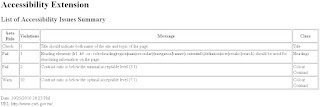
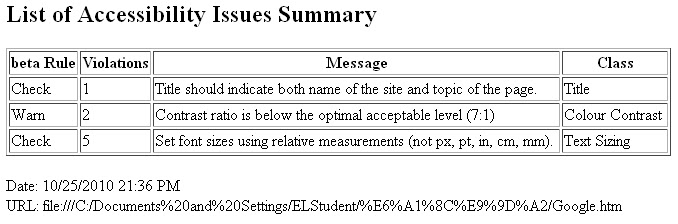
Lab 23 Making web pages accessible

1. Use Firefox Accessibility Extension to identify the accessibility failures and warnings in http://google.com
2. Fix the failures you found.

修改前

修改後

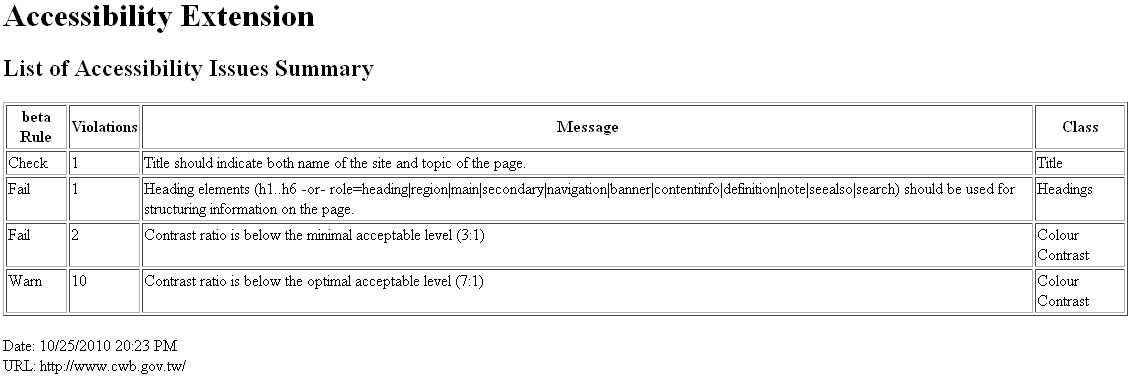
Lab 22 Firefox Accessibility Extension

巴哈姆特

PChome商店街

中央氣象局

期中報告(雛型)


芳香療法網站雛型(Enter:D)
25.10.2010

定位:提供芳香療法相關訊息
目標:讓更多的人了解什麼是芳香療法以及其對人的幫助。

背景:現代人取得資訊的來源有百百種,網際網路是一條不可忽視的管道之一,憑藉它的方便性、互動性以及傳播性,可以讓資訊傳遞給瀏覽者。

功能:
1.          RSS訂閱:每當板主發佈新訊息可以方便訂閱者收到通知。
2.          行事曆:於每月更新行事曆,提供當月最新活動訊息。
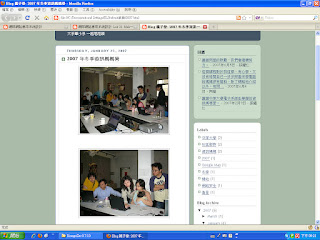
3.          活動剪影發文:發布活動過程照片相關文章,讓更多人對於活動產生興趣。
4.          雙向互動:提供可以讓對芳療有興趣或是有疑問的閱讀者依個溝通管道。
5.          資料庫:上傳相關資聊提供下載。

2010年10月18日 星期一

Lab 21 Making images accessible

使用前

使用後(圖片變文字)

Lab 20 More on HTML

Headings:
 標題文字大小控制
<h1>~<h6>字體大小由大至小


Lists:
用<ul></ul>標籤可以得到用●作為清單選項
 用<ol></ol>標籤可以得到數字作為清單選項

Lab 19 HTML

1. Using Microsoft Notepad, Copy and paste the HTML example at Introduction to HTML
2. Save the file as myfile.html
3. Open the file using Firefox.


New editor
4. Enter http://www.w3schools.com/html/tryit.asp?filename=tryhtml_basic
5. Copy and paste the HTML example at Introduction to HTML
6. Verify your results on the screen.


Lab 18 Comparing browsers

Install Google Browser Google Chrome and Firefox 3.0, try a few websites and compare their performance. For example, youtube, blogspot, msn, and yahoo.

  • google 瀏覽器跑網頁的速度比火狐快許多 
  • 兩種瀏覽器皆有多種支援外掛擴充程式
  • 網址列google 瀏覽器沒有顯示http://而火狐反之
  • 畫面來說 google 瀏覽器較火狐精簡,火狐的版面與IE比較相近